Saved Links
Saved Links is your family's clipboard for the social internet. Paste a YouTube, Instagram, TikTok, or Facebook link and KinLife captures it, pulls out the useful bits, and files it where you can find it. It lives at Saved Links.
What it is
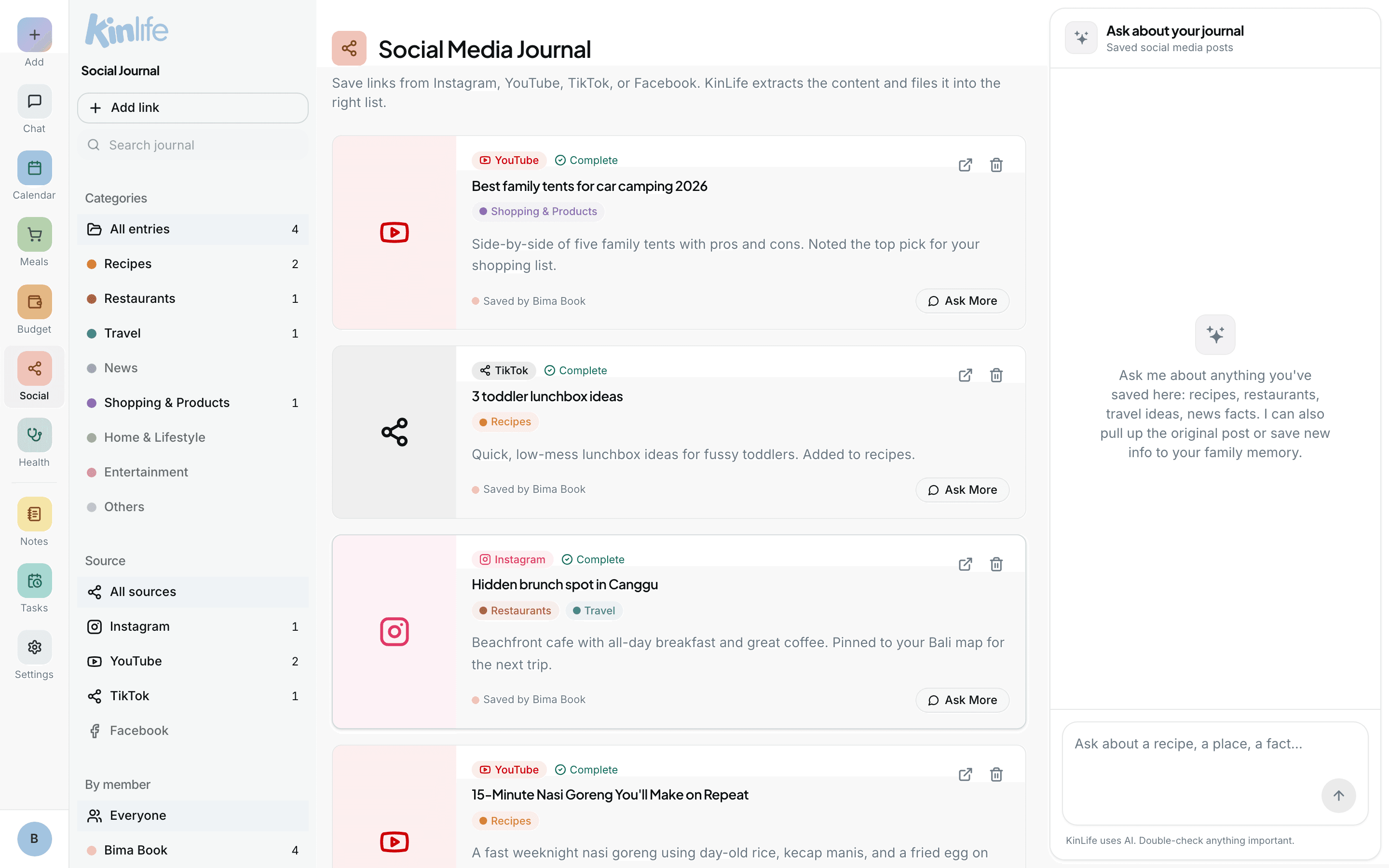
A family-scoped, searchable feed of the posts you want to keep: the recipe video Mum sent, the gift idea, the school's latest reel, the restaurant someone raved about. Each saved post becomes an entry with a title, an AI summary, a thumbnail, and category tags.
Saving a link
- 1On the Saved Links page, click Add link to open the paste modal. You can also drag a link from a browser tab or bookmark straight onto the modal and it submits on drop.
- 2Or just paste the link into chat and ask: “save this reel to my saved links”.
What KinLife extracts
The classifier reads the post and turns it into the right kind of thing (usually one action per post):
- Recipes become recipe notes (ingredients + steps).
- Product reviews become review notes with a “where to buy” block.
- Restaurants become pins on a city map; travel roundups become pins on a region map. Future posts about the same place accumulate onto the same map.
- Everything else stays as a tidy summary note.
These notes also show up in your Notes under the Recipes, Product Reviews, and Maps filters.
The follow-up nudge
After processing, the assistant posts a next-best-action suggestion back to the thread it came from, e.g. “Want me to add the ingredients to your Shopping List?” or “Want me to add 'Try Marmaris II' to your calendar?” Web users see it on refresh; WhatsApp and email users get a reply on their channel.
Browsing & searching
The feed has a three-way sidebar so you can slice it by:
- Category: Recipes, Restaurants, Travel, News, Shopping & Products, Home & Lifestyle, Entertainment, Others.
- Source: Instagram, YouTube, TikTok, Facebook.
- By member: who saved it.
Each card shows category chips, a “Saved by” attribution, and opens a detail dialog with the full summary, linked notes, and quick actions (Open original, Ask More, Retry, Delete). Full-text search runs across titles, summaries, and URLs.